
Answer centre
School trip planning: guides for educational visits
Practical answers for the people organising educational visits. Plan the workflow, involve parents and prepare staff for the day of the trip, with clear questions to ask before choosing a platform.
What does school trip management involve?
School trip management connects visit planning, school approval, pupil and staff selection, parent responses and the information used during the trip. A clear process makes it easier to see what is ready, what is outstanding and who is responsible for the next action.
Who are these guides for?
Educational Visits Coordinators, trip leaders, senior leaders, school administrators and IT or MIS teams. These guides focus on practical administration and product evaluation. Apply them alongside your school's educational visits policy and the arrangements for the specific visit.
Find an answer to your school trip question
Start with the whole process, or choose the task you need to improve next.
Start here
School trip management: a practical guide for educational visits
Connect planning, approval, parent consent and the day of the visit in one clear process, with responsibility at each stage.
Read the practical guidePlan, approve and choose
School trip planning checklist
An administrative checklist for visit leaders: agree the purpose, build the trip record, coordinate approvals and prepare the final handover.
Read the guidePlan, approve and choose
EVC and school trip approvals
Make review stages, requested changes and approval history visible, including what happens when an approved visit changes.
Read the guideConsent and parent communication
Digital parent consent
Build a clear consent request, distinguish invitation progress from completed responses and follow up without losing the pupil-level record.
Read the guideSchool setup and the day of the trip
Trip registers and offline access
Keep the visit roster separate from each attendance check, record exceptions clearly and prepare staff devices before connectivity is lost.
Read the guideConsent and parent communication
Parent updates, messages and photos
Plan the information families need, separate whole-trip updates from private questions and keep photo review part of the publishing process.
Read the guideSchool setup and the day of the trip
MIS integration and school onboarding
Prepare school ownership, Microsoft staff sign-in, Wonde permissions and parent contact checks before introducing the first visit.
Read the guidePlan, approve and choose
Choosing school trip software
A buyer's checklist for comparing spreadsheets and dedicated software, testing a live workflow and asking the right pricing and onboarding questions.
Read the guideExplore the work you are responsible for
From the first proposal to the final register, with links to the relevant product screens.
Plan, approve and choose
Build the visit record, organise school review and evaluate software against the way your team works.
Consent and parent communication
Make requests clear, identify outstanding responses and keep families informed through the visit.
School setup and the day of the trip
Check MIS records, staff access and registers before relying on them away from school.
See the whole visit in Trip Manager
Trip Manager by Education Host brings planning, approval, consent, registers and parent communication together. Explore real screens, see the companion iPhone and iPad app, and arrange a demonstration around your school's visits and budget.
Explore Trip Manager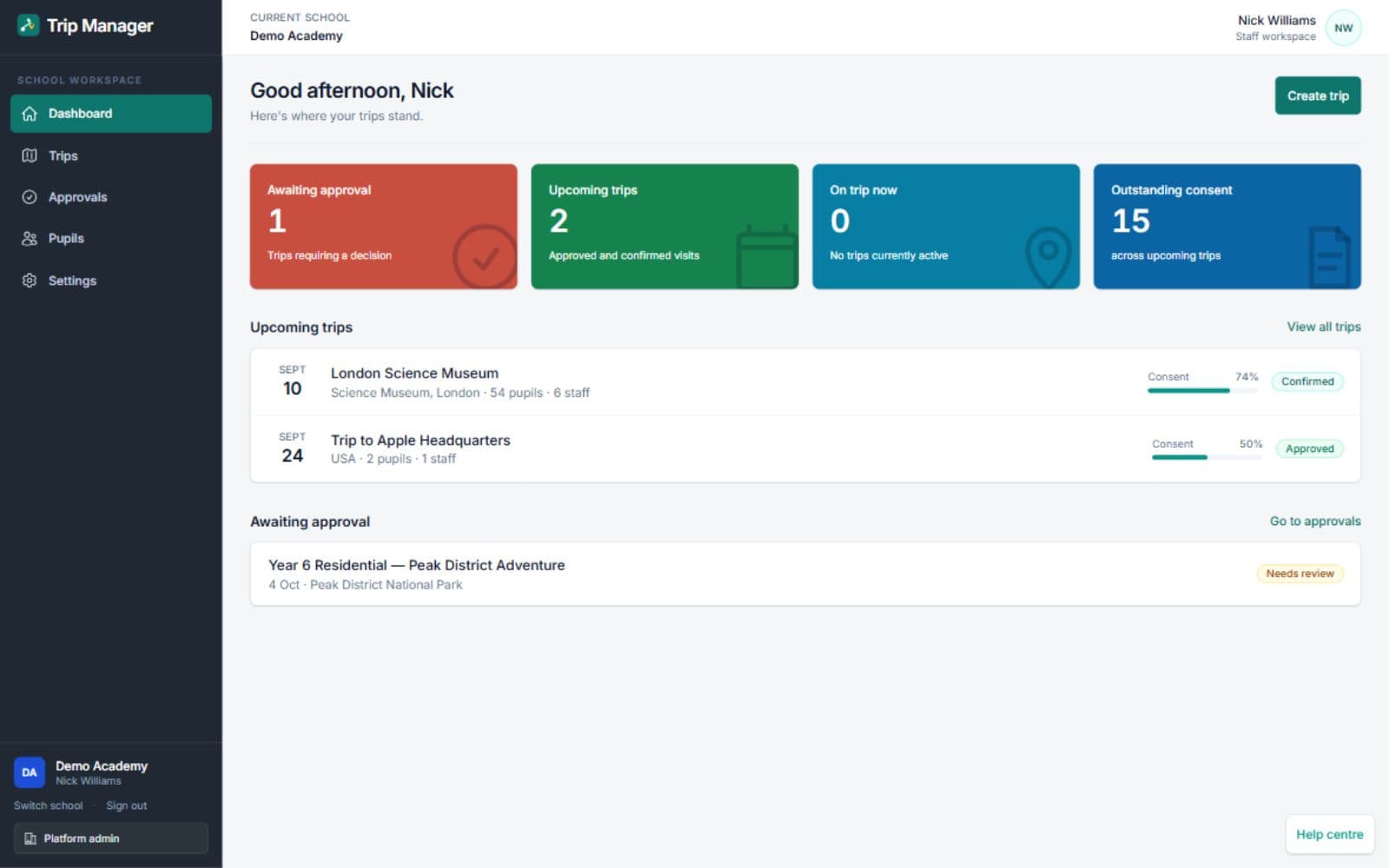
Actual Trip Manager application. Demonstration visit shown; visit costs are not platform subscription prices.
School trip planning questions
Direct answers to help you find the right guide and next step.
What is the difference between trip approval and parent consent?
School approval is the school's decision about the proposed educational visit. Parent consent records a family's response to the information and questions sent for their child. Keep these separate: an approved visit can still have outstanding parent responses.
What should a school trip planning checklist include?
Include the educational purpose, dates and travel, named leader, pupil group, staff roles, school approval, parent information and preparation for departure. The school's visit-specific requirements determine the supporting checks and documents.
Can staff take Trip Manager registers offline?
Yes. Staff can prepare assigned trips in the Trip Manager iPhone and iPad app and take registers without a connection. Marks are queued on the device and sent when connectivity returns, with sent and waiting states visible to staff.
How can a school see Trip Manager and get a price?
The Trip Manager product page shows real platform screens and links to a demonstration and pricing enquiry. Education Host can scope the school platform, MIS connection, onboarding and support around your requirements; the companion app needs a school-provided account.
Bring your next educational visit into one place
Explore Trip Manager, then ask Education Host to demonstrate your approval process, parent consent and on-trip registers. Discuss setup and pricing for your school.